


Educational elements in exhibition stand design help visitors not only see a product but understand how it works and what problem it solves. For complex B2B solutions — equipment, materials, digital services — this is often the fastest way to explain the value of an offer. A stand with a well-thought-out learning layer works like a short workshop: the visitor leaves with new knowledge, and the company gets a better-prepared and more interested contact. Let us look at which formats suit an exhibition and how to build them into the space without overloading it.
Why a stand needs a learning layer
A conventional display answers the question “what is it”, while an educational one answers “how does it work” and “why is it worth it”. This approach is especially useful in several cases.
- A complex or new product. A technology the market does not yet know is easier to show in action than to describe in a brochure.
- A long sales cycle. In B2B, decisions are made by several specialists, and a clear explanation at the stand makes further negotiations easier.
- Expert positioning. A company that explains and teaches is perceived as an industry leader rather than just another supplier.
The educational format is close to interactivity, but its goal is different: not to entertain but to pass on knowledge. Engagement mechanics are covered in more detail in our article on interactive exhibition stands.
Formats of educational elements
The choice of format depends on the product, the floor area and the time a visitor is willing to spend at the stand.
- Models and cutaway samples. A scale model of equipment or a cross-section of a material shows the internal structure more clearly than any diagram.
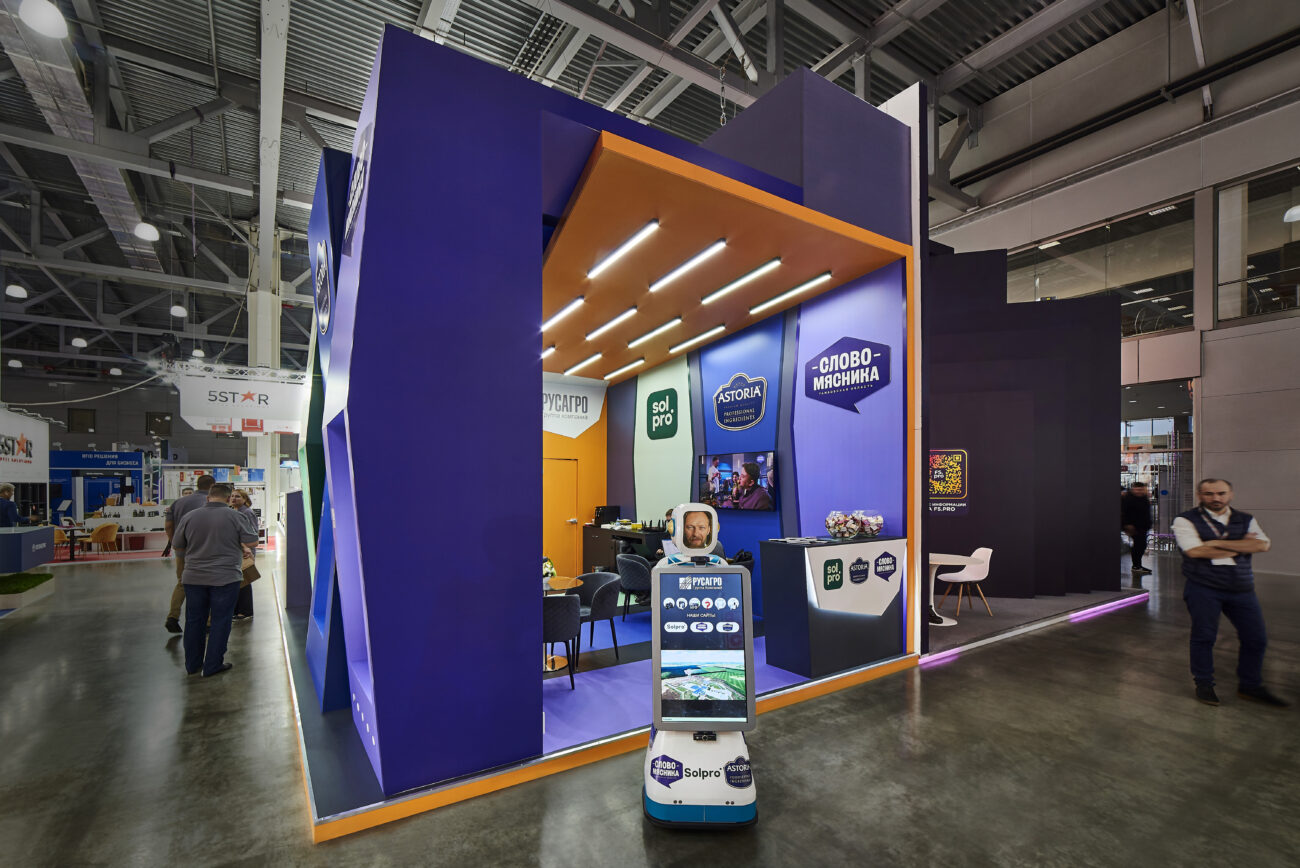
- Touchscreen kiosks. An interactive catalogue with short modules lets visitors choose how deep they want to go.
- Infographics on stand surfaces. A process diagram or technology chain that can be read in 10–20 seconds.
- Live demonstrations. A specialist shows the product at work on a schedule — 10–15 minutes including questions and answers.
- Mini lecture area. A compact zone with 6–12 seats for short talks and case reviews.

For example, on the Tagras stand from our portfolio, an interactive counter and display cases with models are combined into a single route along the open side of the stand.
How to build learning into the layout
Educational elements work when they are part of the visitor’s route rather than tucked away in a separate “knowledge corner” at the back of the stand.
- Entry level by the aisle. A bold statement or a striking object that explains the essence of the product in seconds and stops the visitor.
- Immersion level in the centre. Kiosks, models and samples that visitors interact with for 2–5 minutes.
- Expert level at the back. A lecture area or meeting room where the conversation moves on to a specific company’s tasks.
This three-level scheme fits well with the zoning described in our article on the multifunctional exhibition stand: one floor area covers attraction, learning and sales.
Presenting content: how to explain in minutes
Even a strong educational element will not work if the content reads like technical documentation. At an exhibition, visitors have little time and plenty of distractions.
- One idea per screen. Each kiosk module or infographic panel covers just one aspect.
- Benefit first, design second. Start with the client’s problem and leave technical details for the next step.
- Visuals instead of text. Diagrams, animation and pictograms are taken in faster than paragraphs.
- Videos with subtitles. Clips of 30–90 seconds should be understandable without sound: exhibition halls are noisy.
Requirements for videos and screens are discussed in detail in our article with tips for effective use of video content at a stand.
Which format to choose
| Format | Contact time | When it fits |
| Infographics and diagrams | 10–30 seconds | a process or technology needs to be explained quickly |
| Model or cutaway sample | 1–3 minutes | the product is large or its structure is hidden |
| Touchscreen kiosk | 2–5 minutes | a wide product range, different audience segments |
| Live demonstration | 10–15 minutes | it is important to show the product in action |
| Mini lecture area | 15–30 minutes | an expert audience, complex cases |
The figures are indicative: the final choice depends on the product, the stand area and the exhibition rules.
How to measure the effect
- Time at the stand. Compare the average contact time at educational points with other zones.
- Conversion to negotiations. How many visitors continued the conversation with a manager after a demonstration or talk.
- Quality of questions. If visitors’ questions have become more specific, the explanation has worked.
Typical mistakes
- A textbook on the wall. Nobody reads long texts and formulas while standing in the aisle.
- Learning detached from the product. An abstract lecture about the industry does not connect knowledge with the company’s offer.
- An exhibit without a specialist. A staff member ready to answer questions should be next to every model or kiosk.
- A lecture area by the aisle. A talk zone without acoustic separation disturbs both listeners and negotiations.
Summary
Integrating educational elements into stand design turns the display into a clear explanation of the product: models, kiosks, infographics and live demonstrations help visitors understand the offer in a few minutes. The approach works when learning is built into the route, content is short and visual, and a specialist stands behind every element. Insight Expo designs stands with educational zones for the exhibitor’s tasks and manufactures structures at trusted partner production facilities.
Learn more:


Insight Expo attended the RUEF MICE Networking Forum and the EFEA Eurasian Event Forum in January 2...
Innovative solutions, interactive experiences, VR/AR, and multimedia enhance brand presentation and...

